Empty State
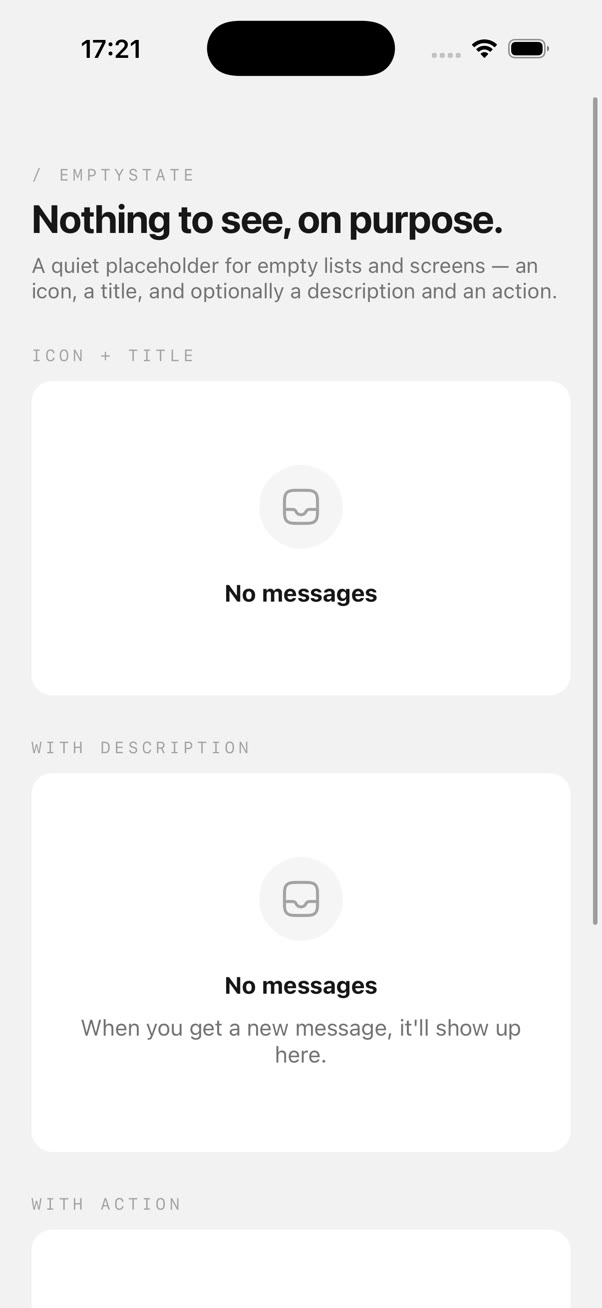
An icon, a title, an optional description and action button for empty lists and screens.
Prerequisites
Empty State needs an icon set for the optional glyph and Reanimated for its one-off entrance.
npx expo install @hugeicons/react-native react-native-reanimated
Install
npx @rslab/cli add empty-state
Usage
import { InboxIcon } from '@hugeicons/core-free-icons';

import { EmptyState } from '@/components/ui/EmptyState';


<EmptyState icon={InboxIcon} title="No messages" />


<EmptyState

  icon={InboxIcon}

  title="No messages"

  description="When you get a new message, it'll show up here."

/>
Add an action and it renders a Button underneath the description, the same button used everywhere else in your app:
<EmptyState
  icon={FolderLibraryIcon}

  title="No projects yet"

  description="Create your first project to get started."

  action={{ label: 'New project', onPress: () => router.push('/new') }}
/>
Props
PropTypeDefault
icon?HugeIcon-Shown large and muted above the title, in a soft circular background.
titlestring-The only required prop, everything else is optional.
description?string-Supporting copy, centered and muted, wraps at roughly 30 characters per line.
action?{ label: string; onPress: () => void }-Renders a secondary Button below the description.
className?string-Extend or override the outer container.
See exactly how this works with an RSLAB subscription.
Get Pro